🇯🇵 Made in Japan — Built with Rust + SwiftUI

Browse. Preview. Organize.
Instantly.

Instant thumbnails for thousands of images. Multi-pane layouts. Native macOS experience.

macOS 14+ • Apple Silicon & Intel • 15 MB download
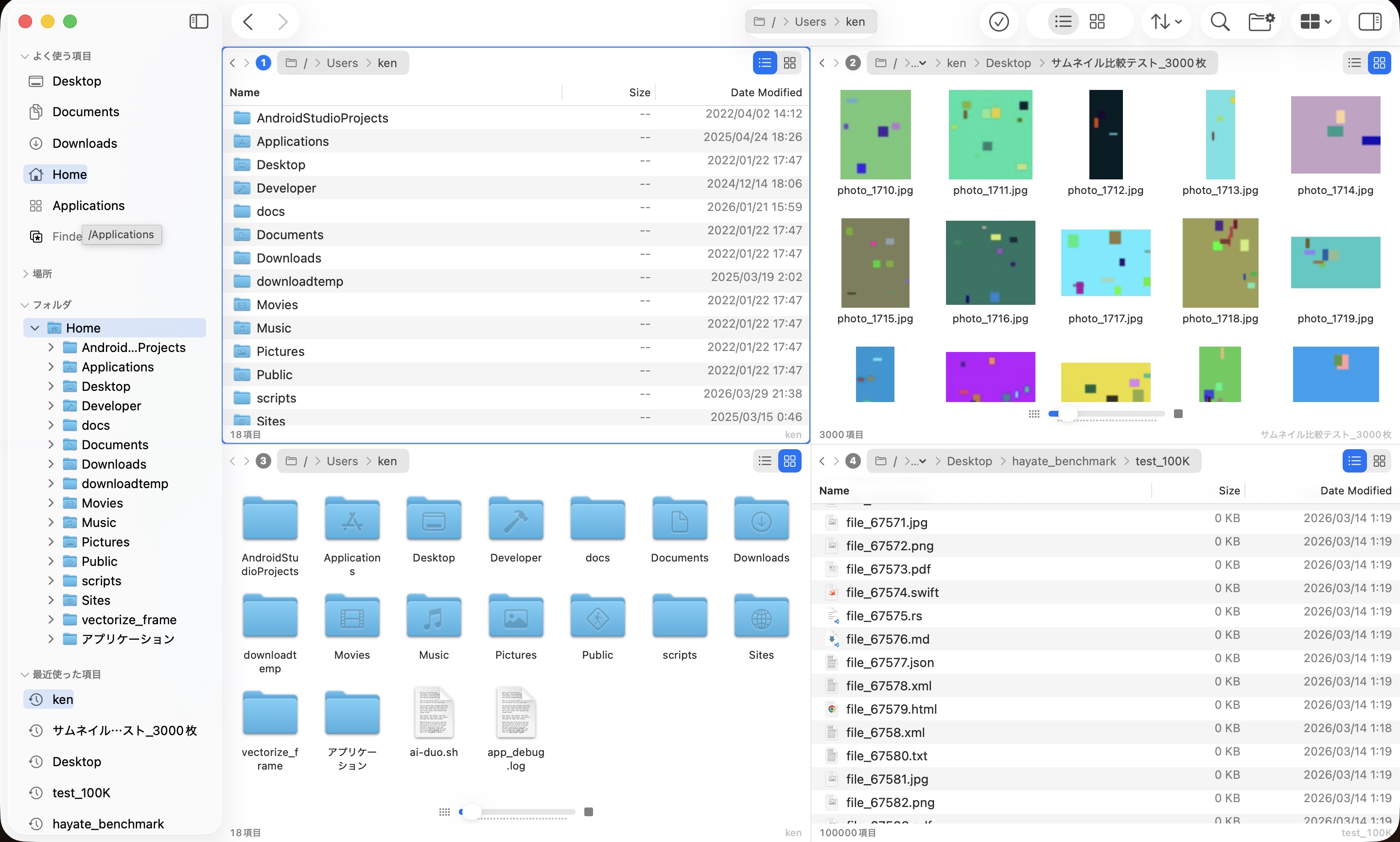
Hayate - 4-pane file manager

Don't take our word for it. Measure it.

Automated benchmarks on MacBook Air M1 (16GB). Same directory, same conditions. Hayate runs first with cold cache — the most disadvantageous order.

Time to Interactive

Time until you can scroll and select files

10,000 files Finder: 1,485ms
Hayate: 134ms 9.1x faster
100,000 files Finder: 901ms
Hayate: 150ms 6.0x faster
500,000 files Finder: rainbow cursor
Hayate: 293ms Finder unusable

Memory Usage

Resident memory while browsing directories

10,000 files
Finder: 1,856 MB
Hayate: 256 MB
100,000 files
Finder: 2,059 MB
Hayate: 275 MB
500,000 files
Finder: 2,347 MB
Hayate: 359 MB

500K files: Finder uses 6.5x more memory. Measured on macOS 26.4, April 2026.

Rust-powered native engine

Built with Rust for computation and SwiftUI/AppKit for the UI. No Electron. No web views.

Everything Finder should have been.

37 features. 13 layouts. One app.

Multi-Pane — Up to 4

13 layout configurations. Side-by-side, top-bottom, 2×2 grid, 1+3 splits. Switch layouts instantly with a single click. Each pane navigates independently.

Multi-pane layouts

Powerful Search

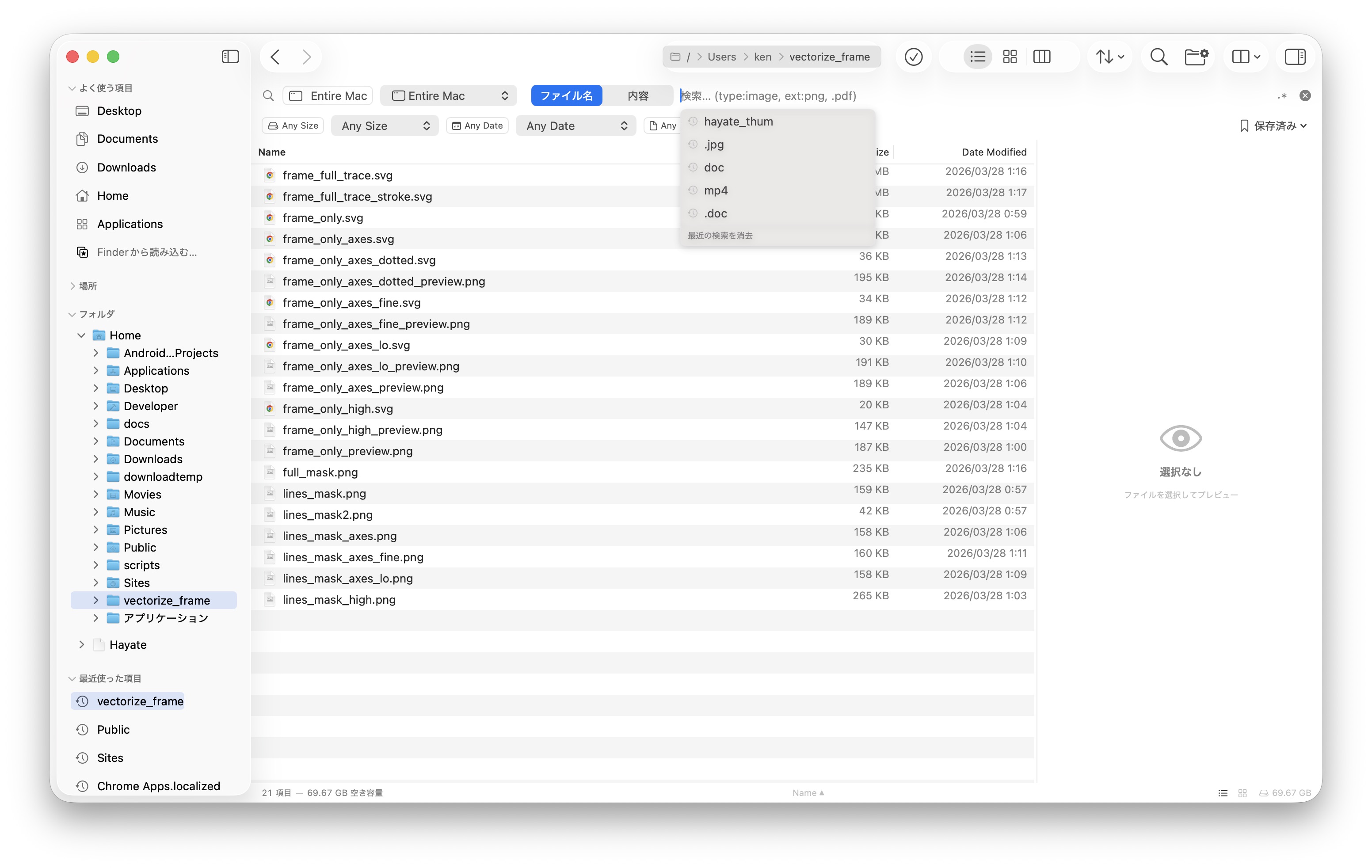
Search by filename, content, type, size, and date. Saved searches, recent queries, and Smart Folders for instant access.

Search interface

Instant Thumbnails

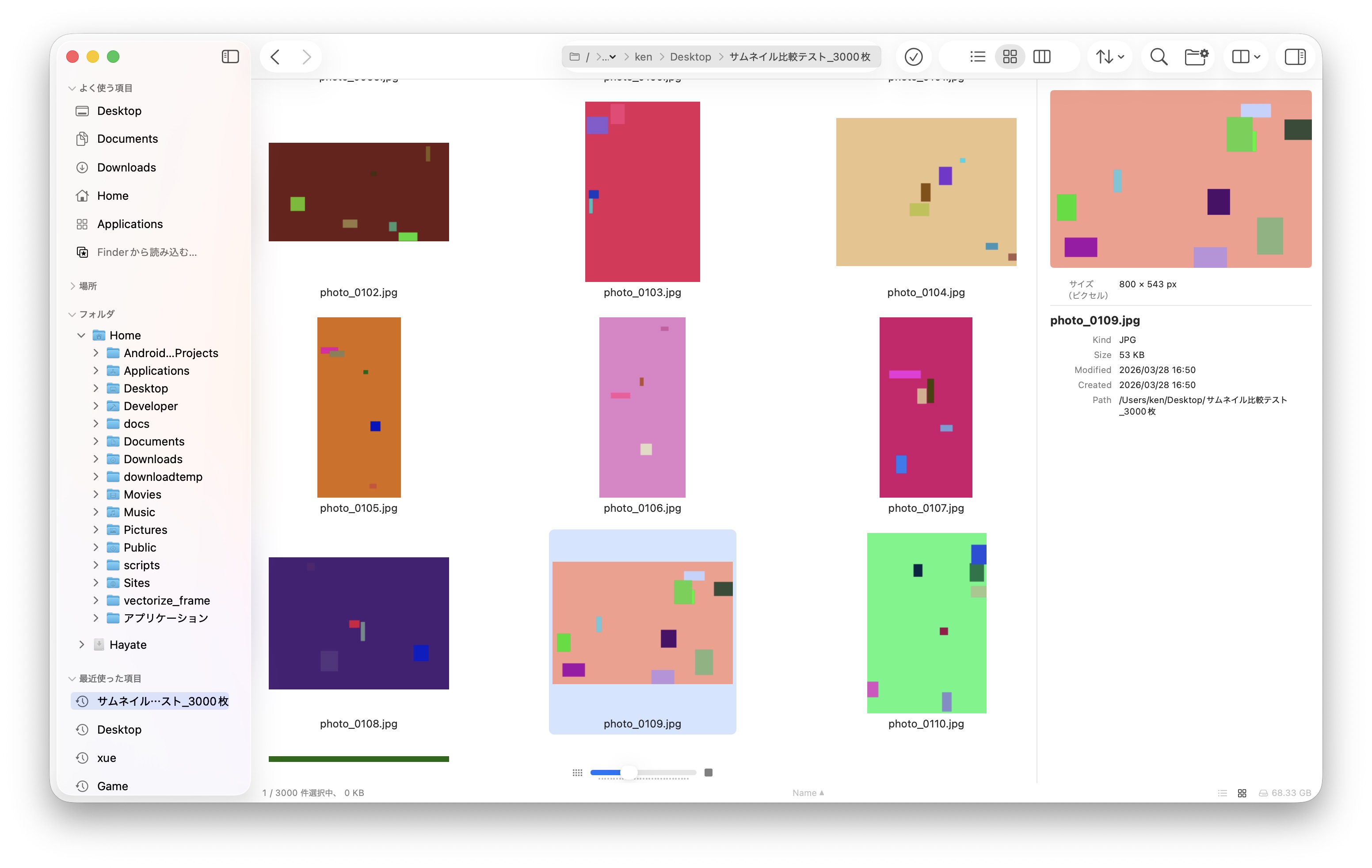
Visible-first parallel generation. 3,000 images load faster than competitors that render top-to-bottom. Scroll anywhere and see thumbnails immediately.

Instant thumbnails with preview pane

Git Status

See modified, untracked, and staged files at a glance with per-file status badges. Branch indicator in the status bar. No extra Git GUI needed.

Git status badges
🔍

Built-in Terminal

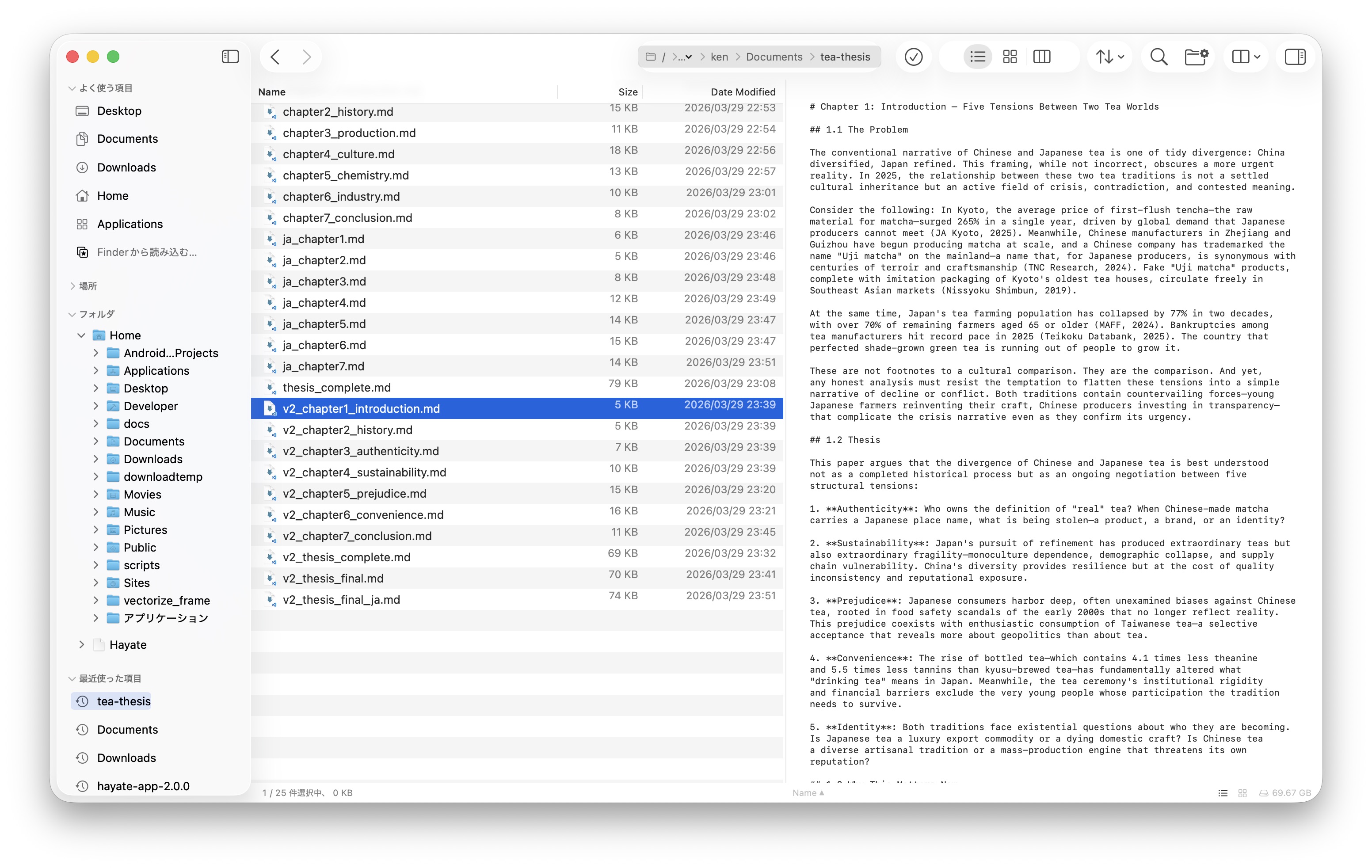
Full PTY terminal integrated right into your file manager. Always synced to the current directory. No more switching to Terminal.app.

🏷

Tags

Full Finder-compatible tag support via xattr.

📄

Batch Rename

Sequential, find/replace, date, case. Live preview.

📁

Smart Folders

Dynamic folders with predicate-based criteria.

🎲

Git Status

Per-file status badges. Branch indicator.

🔌

Plugins

Extend with Shell or Python scripts.

🎬

Video Hover Scrub

Preview video content by hovering.

🔒

Quick Look

Press Space to preview any file.

35+ Shortcuts

Keyboard-first design. All conflict-free.

Built different.

A native macOS app built with Rust and SwiftUI. No Electron. No web views. Pure native performance.

159
Swift files
43K
Lines of code
420
Automated tests
15MB
App size
🇯🇵 Made in Japan

Try Hayate. Free.

Hayate is free during the beta period. Help us build the best file manager for macOS.

Requires macOS 14 (Sonoma) or later • Universal binary (Apple Silicon + Intel)

What's New

Development updates and releases

v2.4.10 Latest 2026-09-24
  • Hayate no longer creates a hayate_benchmark folder on your Desktop — internal benchmark logging is now debug-only
v2.4.9 2026-07-04
  • + Comprehensive code audit — ~100 issues fixed across correctness, performance, memory, security & UX
  • Search fixes: regex content search, Japanese (NFC/NFD) matching, stuck deep-search state
  • Preview no longer shows the wrong file (PDF/image) on rapid selection changes
  • Cancelled drag no longer moves files; safer compress/rename; correct Date Modified
  • Cross-volume move data-loss fixed; SFTP host-key pinning & delete confirmation
  • Rename & type-to-select fixed in very large directories; stale thumbnail/cache fixes
  • + Appearance settings wired (date format, extensions, path bar, list font); plugin preview panel
v2.4.0 2026-04-02
  • + Directory cache — instant back-navigation for visited directories
  • + Improved gallery performance for large directories
  • + Custom hotkeys (33 bindings, conflict detection, preferences UI)
  • + Enhanced archiver: ZIP, tar.gz, 7z support
  • + Smart Folder mdfind integration with FileManager fallback
  • + APFS clonefile: instant same-volume copy (copy-on-write)
  • macOS 26 segmented picker crash eliminated
  • FolderSizeService thread explosion fixed
  • All buffer double-free crashes permanently resolved
v2.3.1 2026-04-01
  • Folder preview hover animation now works after directory navigation
  • Fixed thumbnail cache not restoring individual images for hover fan-out
  • Removed duplicate tracking areas causing event conflicts
  • Gallery view double-click reliability improved
  • DMG layout fixed (app icon was not visible in v2.3.0)
v2.3.0 2026-04-01
  • + Blazing fast mdfind-powered search (replaces slow FileManager enumeration)
  • + Extension search (.jpg, .png) uses native Spotlight predicates
  • + Workspace restoration: tabs, view modes, sort order, window position saved and restored
  • + 30-second auto-save for crash protection
  • + Folder content previews: stacked thumbnails with hover fan-out animation
  • + File copy buffer 1MB to 8MB for faster transfers
  • Trash restore now returns files to original location
  • Menu bar names correctly localized in all languages
  • Sparkle update check responds instantly (was 30s delay)
  • View mode switch resets scroll to top
  • GitStatusService duplicate key crash fixed
  • Multiple crash and data race fixes from quality audit
v2.2.0 2026-04-01
  • + Blazing fast search: mdfind-powered Spotlight integration
  • + Workspace restoration: tabs, view modes, sort order, window position
  • + Folder content previews: hover to fan out image thumbnails
  • + Path copy button in preview pane
  • + Improved breadcrumb bar: larger text, truncation, better spacing
  • View mode switch now resets scroll position to top
  • GitStatusService crash fix (duplicate key handling)
  • Various UI polish and stability improvements
v2.1.0 2026-04-01
  • + Windows-style keyboard: Enter=Open, F2=Rename, Backspace=Back, Delete=Trash, F5=Refresh
  • + Path copy button in preview pane
  • + Cmd+C works in preview pane for text selection
  • + Sparkle auto-update: seamless in-app updates
  • + Code signed and notarized for macOS Gatekeeper
  • Grid view click response: 300ms delay eliminated
  • Preview pane: 150ms debounce for smooth arrow key navigation
  • Text preview: 8KB/200 lines limit for instant rendering
  • Multi-pane isolation: panes no longer interfere with each other
  • Column view arrow key navigation fixed
  • Terminal launch: fixed double-open and wrong directory bugs
v2.0.0 Beta 2026-03-28
  • + Multi-pane layouts (up to 4 panes, 13 configurations)
  • + Dual-pane search with per-pane results
  • + Video hover scrub in gallery mode
  • + Drag & drop: bidirectional with Finder and Terminal
  • + 6-language localization (EN/JA/ZH/KO/tlh)
  • 55-item bug audit: all closed, 0 release blockers
  • NSTableView migration: full dataStore integration
  • getattrlistbulk leftover bug fix (all users affected)
v1.5.0 2026-03-18
  • + Git status badges per file
  • + Tag color display (Finder-compatible xattr)
  • + Spring-loaded folders
  • + Selection mode toggle
  • Size/Date column display fixes
  • Async folder size calculation
v1.0.0 2026-03-15
  • + Rust-powered file enumeration (getattrlistbulk + rayon)
  • + Visible-first parallel thumbnail generation
  • + 500K files: 293ms TTI (Finder: rainbow cursor)
  • + List / Grid / Column view modes
  • + Smart Folders, Quick Look, Built-in Terminal
  • + Batch rename with live preview
  • + ZIP archive browsing
  • + 35+ keyboard shortcuts